
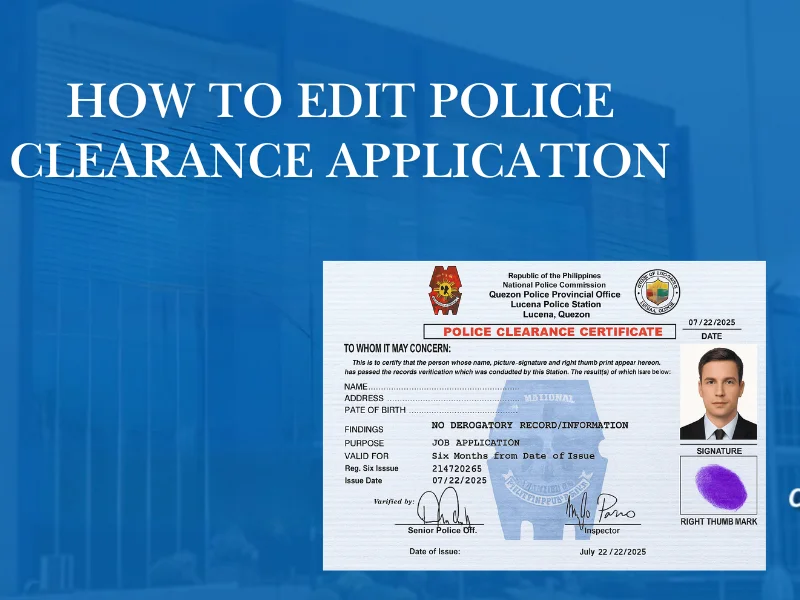
How to Edit Police Clearance Application Information

Mistakes happen. A misspelled name, wrong birthdate, incorrect address—small errors in a national police clearance application can lead to delays, reprocessing, or even rejection. The good news is that not all mistakes require starting over, but the solution depends on when and where the error appears.

How to Edit Police Clearance Information
Important Information

Why Correct Information Matters More Than You Think

The process of getting a police clearance is more than just a form—it is a critical verification document used by employers, embassies, and government agencies. Even minor inconsistencies can raise questions.

What Incorrect Information Can Cause

Delay in release
Rejection by employers
Visa processing issues
Requirement to reapply
Pro Insight: Authorities compare your details against databases, and errors could potentially lead to a police clearance HIT status during verification.
Quick Summary

Your 5-Step Action Plan if You Spot an Error

Don't panic if you find a mistake. Follow this prioritized sequence of actions to resolve the issue as efficiently as possible.

Error noticed

Check stage

Edit online

Correct at station

Reapply only last

Application Timeline

When Can You Edit Application Information?

The ability to edit depends on application stage. Understanding this timeline saves time and frustration.

Application Stage Can You Edit? How
Before appointment confirmation Yes Online account
After booking but before payment Limited Some fields only
After payment No Correction at station
After clearance is issued No Reapplication or renewal required
Online Updates

Information That Can Usually Be Edited Online

Before final confirmation, applicants may adjust certain details without needing manual intervention.

Address

House number, street, barangay, or city details.

Contact number

Primary or alternative mobile and telephone numbers.

Email address

Update where you receive notifications and digital files.

Appointment location

Change your intended PNP station for appearance.

Appointment date

Select a different time slot or day for your visit.

Pro Insight: These changes do not affect identity verification, so they remain editable for longer periods.
Address Impact

Address Errors: How Serious Are They?

Address mistakes are usually less critical than name or birthdate errors, but they still warrant attention for specific reasons.

Why Accuracy Matters

  • Jurisdiction verification
  • Record matching against local files
  • Background checks for employment
Note: Minor formatting differences (e.g., "St." vs "Street") are acceptable, but a wrong city or province should be corrected before issuance.
Security Locked

Information That Cannot Be Edited Online

Once identity-related details are submitted, they are locked for security reasons and require manual verification.

Full legal name
Date of birth
Gender
Place of birth
Note: These fields are critical for identity matching against criminal databases. Any errors here usually require official intervention at the police station. You must bring your required documents for police clearance to prove the correct information.
Error Prevention

Common Editing Mistakes to Avoid

When given the chance to edit, many applicants inadvertently introduce new errors. Avoid these common pitfalls:

Mistake

Using nicknames

Applications must use your legal name only, never "Bong", "Inday", or "Jun".

Mistake

Skipping middle names

Unless you legally do not have one, middle names are mandatory for database matching.

Mistake

Changing spelling

Do not change spelling to "look nicer" or match social media. It must match your IDs.

Mistake

Rushing confirmation

Scanning past preview screens without reading is the #1 cause of repeat errors.

Golden Rule: Police clearance must reflect your legal identity as per government records, not your personal preference.
Formatting Standards

Name Formatting Tips (Very Important)

How you enter your name determines how the system searches for records. Standardized formatting is critical.

Correct Format Example

LAST NAME, First Name Middle Name

Incorrect Examples

  • Using initials only (J.D. Smith)
  • Removing middle name (Juan Cruz)
  • Adding suffix not in ID (e.g., adding "PhD")
Always follow the exact sequencing and spelling that appears on your primary government-issued ID.
Process Guide

How to Edit Police Clearance Step-by-Step Guide

If you notice an error early, follow this process to ensure your application is accurate before it's processed.

1

Log Into Your Account

Access the official police clearance system and use the same email or mobile number you used during registration.

2

Open Your Active Application

Go to the "My Applications" or similar section in your dashboard and select the pending request you wish to update.

3

Edit Allowed Fields

Make corrections carefully. Avoid abbreviations and ensure the details match your official ID formatting perfectly.

Double-check spelling before saving.
4

Save and Review

Review the summary page to confirm no remaining errors. Proceed only when you are completely confident in the data.

Post-Payment Support

What If You Discover an Error After Payment?

This is where many applicants panic—but solutions still exist. You don’t always need to pay again or restart the process.

Primary Action Plan

Stay Calm

Do not cancel your application or pay for a new one immediately.

Show Up

Attend your scheduled appointment at the police station as planned.

Speak to the Officer

Inform the officer during verification about the error in your application.

Prove the Correction

Have your valid IDs ready to show the correct information for manual updating.

!

Pro Fact: In most cases, officers can manually override and correct errors in the system before the final certificate is printed.

On-Site Support

Correcting Errors at the Police Station

Some corrections can be handled on-site during your appointment. Knowing what can be fixed instantly helps you prepare.

Corrections Usually Allowed

  • Minor spelling errors
  • Typographical mistakes
  • Formatting issues

May Require Reapplication

  • Wrong identity
  • Incorrect birthdate
  • Name mismatch with ID
Final Note: The final decision depends on the station’s policy and verification results.
Smart Prevention

How to Avoid Errors in Future Applications

Prevention is better than correction. Most errors happen due to haste during the initial registration process.

Smart Prevention Checklist

Prepare your ID beforehand
Copy details directly from ID (character by character)
Review every screen carefully before clicking "Next"
Avoid browser autofill when possible
Do not rush the final payment until data is 100% verified

"Most errors happen due to haste. Taking an extra 2 minutes to review can save you days of reprocessing."

Q&A

Frequently Asked Questions

Common questions about editing and correcting police clearance applications.

No. Identity fields are locked after payment. You will need to request a correction at the station during your appearance.

Minor edits handled online usually do not cause delays. However, manual corrections at the station might add a few minutes to your processing time.

No. Only the applicant can make changes through their personal account or in person at the police station.

You may need supporting legal documents (like a marriage contract or court order) to justify a name change that differs from your old records.

Final Thoughts

Editing police clearance application information is possible—but only within limits. The key is knowing when edits are allowed and how to address mistakes properly. Careful review, early correction, and honest communication with officers can prevent unnecessary delays.