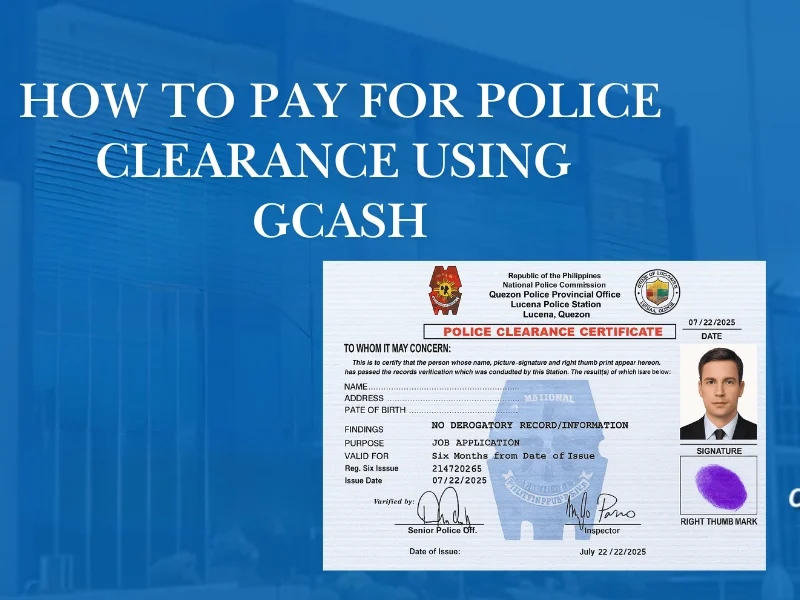
How to Pay for Police Clearance Using GCash

GCash has become one of the most convenient ways to pay government-related fees in the Philippines — including your police clearance in the Philippines. Whether you’re applying for your first clearance, renewing one, or replacing a lost copy, knowing the GCash payment method can save you time, effort, and long queues.

How to Pay for Police Clearance Using GCash

Why Use GCash for Police Clearance Payments?

Gone are the days when you had to stand in long lines just to settle fees.

Benefits of GCash

  • Always open: Pay anytime, even late at night
  • No long lines: Complete payment before the appointment date
  • Instant verification: Screenshots serve as proof
  • Trackable status: Easy to save and present at the police station

In many police stations today, using GCash is accepted and encouraged — especially if you booked your slot online.

Why GCash Payment Is Better Than On-Site Payment

Comparing the traditional method with digital payment helps show why switching is worth it.

Feature Pay On-Site Pay with GCash
Queue Time Long Short
24/7 No Yes
Proof Receipt Screenshot + Receipt
Errors Manual only Can be corrected online

Before You Start: What You Need

Before paying with GCash, make sure you have:

  • A funded GCash account
  • Active mobile number linked to your GCash
  • Online appointment for police clearance
  • Confirmation number or reference from the appointment portal
  • Valid ID and requirements for your police clearance application

Tip: Always screenshot or save confirmations before heading out.

Step-by-Step Guide: How to Pay Using GCash

Here’s how to pay your police clearance fee through GCash in a simple, foolproof way.

Step 1 — Open Your GCash App

Launch the app and ensure you’ve:

  • Logged in
  • Internet connection is stable

Step 2 — Tap “Pay Bills”

From the Home screen:

GCash App > Pay Bills

This opens the biller selection screen.

Step 3 — Select the Correct Biller Category

Depending on your police station’s setup, the biller might be under:

  • Government
  • Police Clearance (if available)
  • Others (if not listed)

Important: If “Police Clearance” doesn’t show up, choose Government.

Step 4 — Find Your Police Station Biller

This step varies slightly by station because some police units have their own biller names.

Tip: If you don’t see your station, don’t panic—use the Government > Others option and enter the correct reference code when prompted.

Step 5 — Enter Your Details

You’ll usually be asked for:

Double-check spelling and numbers — errors here may cause verification issues later.

Step 6 — Review & Confirm

Before tapping Pay, check:

  • Reference number
  • Amount
  • Correct biller
  • Your name

Then tap Confirm.

Step 7 — Save Your Receipt

Once payment is successful:

  • Take a screenshot
  • Tap “Save Receipt”
  • Email/print if needed

This receipt is your proof of payment when you go to the police station.
How GCash Payments Work With Police Clearance Appointments

Police stations match your payment using:

  • Reference number
  • Name on the payment
  • Appointment number

Tip: If your GCash payment doesn’t reflect immediately on the portal or at the station, show:

  • Your payment screenshot
  • Appointment confirmation

Most stations will accept this as valid proof.

Typical Police Clearance Fees (Philippines)

While fees may vary by location, these are common amounts:

Fee Type Estimated Cost
Police Clearance Official Fee ₱150
Convenience / Processing Fee (may apply) ₱10–₱20
Total Payable ~₱160

Tip: Always check your local police station’s fees before payment — some areas differ.

Common GCash Payment Errors (and Fixes)

Encountering an issue? Here’s how to fix common payment problems.

Error: Biller Not Found

  • Select Government > Others
  • Use reference code if available
  • Ask station for exact biller name

Error: Reference Doesn’t Match

Often due to:

  • Typo in payment
  • Wrong reference number

Solution: Show screenshot at station — they can sometimes manually verify.

Error: Amount Incorrect

Police stations will not proceed without exact fee reflected.

  • Request a reversal via GCash support
  • Re-pay with correct amount

Troubleshooting With Screenshots

Many issues can be resolved simply if you have the right proof.

Keep these handy:

  • Screenshot of GCash payment
  • Screenshot of payment confirmation screen
  • Screenshot of appointment details

The police station can often manually match these.

What to Bring to Your Appointment After Paying

Don't forget these essentials when you head to the station.

  • Valid ID (original)
  • Appointment confirmation
  • GCash proof of payment (print or screenshot)
  • Pen (for forms)
  • Photocopies (optional)

Note: Most stations won’t proceed without proof you paid.

Useful Tips

Maximize your convenience with these practical reminders.

1

Pay Early

Waiting until the appointment day to pay increases stress. Pay days before to ensure smooth verification.

2

Use Full Legal Name

Your GCash payment name should match your ID exactly to avoid any confusion at the station.

3

Save All Screenshots

Carry backups in case Wi-Fi is weak at the station. Offline proof is a lifesaver.

Frequently Asked Questions

Common queries about using GCash for police clearance.

It’s best to book first — the reference number is often required to ensure the payment is linked to your application.

Bring the screenshots — most stations manually cross-verify payments if there is a system delay.

Most urban and many provincial stations do, but if yours doesn’t, you may need to pay on-site or use another method.

Not always, but small processing charges can apply depending on the specific biller setup.

Quick Recap

1 Book police clearance appointment
2 Open GCash
3 Go to “Pay Bills”
4 Choose Biller (Government / Police)
5 Input reference & name
6 Confirm payment
7 Save receipt
8 Present at appointment

Final Checklist Before You Go

  • Appointment confirmed
  • Police station name correct
  • GCash payment completed
  • Screenshot of payment
  • Valid ID ready
  • Backup photocopies

Conclusion

Paying your police clearance fees using GCash is:

  • Faster
  • Cheaper (no queues)
  • Trackable
  • Convenient

And when done correctly, it speeds up the full police clearance process — from payment to issuance.