
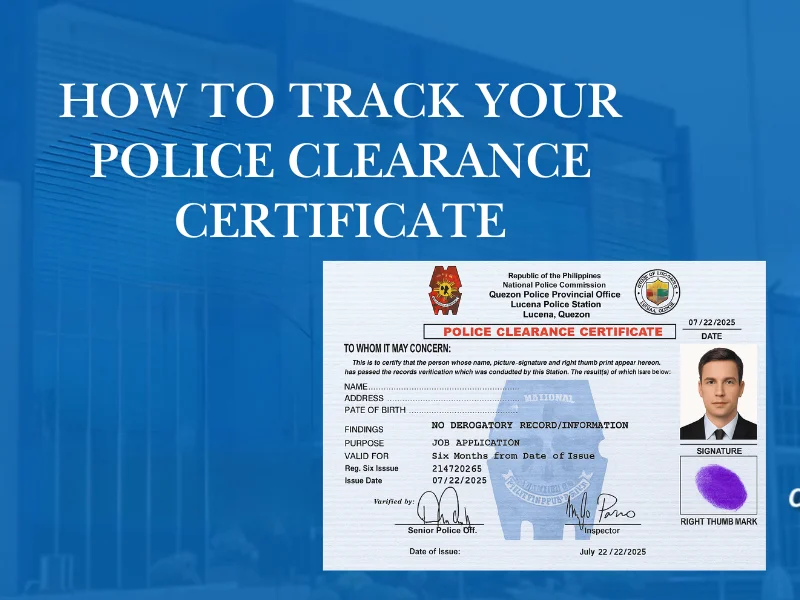
How to Track Your Police Clearance Certificate Online

A Practical Guide for Filipino Applicants

After applying for a police clearance, the waiting period can feel uncertain—especially if you need the document urgently for work, travel, or legal purposes. Many applicants ask the same question: Can I track the status online?

The answer is yes, to a certain extent—and knowing how tracking works can save you unnecessary visits, confusion, and delays.

Tracking Police Clearance Status Online
Understanding Tracking

What “Online Tracking” Really Means

Online tracking does not mean courier-style tracking. Instead, it allows applicants to:

Step 1

Check application status

Know if your request is approved, pending, or requires action.

Step 2

Confirm appointment completion

Verify that your appearance and biometrics have been recorded.

Step 3

See if the clearance is ready

Get a notification once your certificate is ready for release.

Step 4

Identify delays

Quickly spot verification issues or other processing hiccups.

Pro Insight: Status updates reflect processing stages, not physical movement.
Timeline

When Tracking Becomes Available

Tracking isn't instantaneous. It becomes active at specific milestones in your application:

Post-Payment Milestone

Once your payment is verified, your reference number becomes active in the portal database.

Post-Appointment Milestone

The most accurate status updates begin 24–48 hours after your biometrics capture at the station.

Preparation Checklist

What You Need to Track Your Application

Before you log in to check your status, make sure you have these details ready to ensure a smooth process:

Account Email

The email address you used to register on the NPCS portal.

Password

Your secure portal password. Reset via email if forgotten.

Reference No.

Your unique application number found on your payment receipt.

Key Tip: Using the NPCS dashboard is the only way to get official real-time updates directly from the police database.
Step-by-Step Process

How to Track Your Police Clearance Online

This process is simple but often misunderstood. Follow these steps to correctly view your application status:

1

Access the NPCS Portal

Open the official National Police Clearance System (NPCS) website. For the best experience, use a desktop browser or a mobile device with a stable connection.

Verified URL
Secure Login
2

Check Transaction History

Once logged in, look for the "Transaction History" or "My Applications" tab. This is where all your pending and completed requests are logged.

Pro Tracking Tip:

Click the Details or View button next to your latest Reference Number to see the expanded status log.

3

Interpret Your Status

The NPCS uses specific status keywords. Understanding these will tell you exactly where your clearance stands:

Status Meaning
PENDING Payment confirmed; waiting for station visit.
FOR VERIFICATION Biometrics captured; records being checked.
APPROVED No record found (No HIT); ready for release.
RELEASED The physical certificate has been picked up.
Note: “On Hold” does not always mean there is a problem/hit—it may simply require a manual check by an officer before approval.
Processing Time

Why Some Applications Take Longer Than Others

Not all clearances are processed at the same speed. Several factors can influence how quickly your application moves through the system.

Name Similarity

Common names may trigger "hits" in the record database retrieval process.

Verification Checks

System-wide background checks across multiple government databases.

Application Volume

Higher than normal processing loads at your selected police station.

Biometric Issues

Incomplete or low-quality biometric capture that requires manual review.

"Delays are often procedural, not personal."
Status Concerns

What If There’s No Status Update?

Seeing no change in your dashboard for a day or two is common and usually not a cause for concern. The system updates are batch-processed.

What You Should Do

  • 01 Wait at least 24–48 hours after your appointment before worrying.
  • 02 Refresh your dashboard regularly, but do not reapply as this creates duplicates.
  • 03 Check your registered email (and spam folder) for automated notifications.

If no update appears after several days, proceed to the next step.

Direct Inquiry

When to Contact the Police Station

Most issues resolve themselves within a few days. However, direct contact is necessary in specific situations.

Contact only when:

  • Status hasn’t changed for several days despite repeated attempts.
  • You have an urgent deadline (e.g., flight or job requirement).
  • The system shows “On Hold” without any further explanation.

Items to Bring:

  • Appointment confirmation
  • Valid ID (Government issued)
  • Proof of payment (Receipt)
Visiting early in the morning usually results in faster assistance with technical issues.
The Full Process

The Police Clearance Journey: 6 Simple Steps

Understanding where tracking fits into the overall process helps you manage your expectations and time better.

01

Submit Application

Register online and fill out the NPCS form accurately.

1
02

Station Visit

Captura biometrics & photo at your chosen police station.

2
03

Portal Tracking

Log in to monitor progress through verification stages.

3
04

Status Check

Wait for the "APPROVED" status in your dashboard.

4
05

Claim Process

Return to the station for your hard-copy certificate.

5
06

Final Record

System will eventually show "RELEASED" status.

6
Comparison Guide

Tracking vs Physical Release: Know the Difference

It is important to distinguish between what you see on your screen and the actual physical document.

Aspect Online Tracking Physical Release
Real-time Progress
Official Document
Home Pickup
Crucial Reminder: Online tracking helps plan your visit—it doesn’t replace it. You must still physically claim your certificate at the station.
Avoiding Errors

Common Tracking Mistakes to Avoid

Many applicants encounter delays or confusion due to these common oversights:

Creating multiple accounts
Checking status before appointment
Assuming delay equals rejection
Ignoring email notifications
Reapplying instead of waiting

These mistakes often create duplicate records, which can lead to further processing delays.

Expert Tips

Tips for Faster Processing Visibility

Follow these best practices to ensure your records remain clean and your status updates accurately:

Use the same browser or device during the entire application process.

Keep your email active and check it regularly for system alerts.

Avoid frequent edits to your profile details after submission.

Follow your appointment schedule strictly to avoid record mismatches.

"Small actions help keep records clean and processing smooth."
Manual Review

What If Your Clearance Requires Manual Verification?

In some cases, your dashboard status may shift to a more specific label that indicates closer inspection is underway. This is often part of the standard verification protocol and doesn't necessarily mean there's an issue with your application.

Status Displayed:

“For Further Verification”

This may occur due to several technical or record-related factors:

Similar Names

Matching records with someone else sharing your name in the system.

Prior Clearances

Previous applications, such as a police clearance renewal, requiring a history consistency check by officers.

Data Inconsistencies

Minor spelling or date mismatches that require manual verification.

This does not mean denial. It simply means extra review is required.
Questions & Answers

Frequently Asked Questions

Find quick answers to common concerns regarding the police clearance online tracking system.

No. Tracking requires login access to the official portal where your unique application record is stored securely.

Some systems send notifications via SMS or email when a status changes, but checking your personal dashboard remains the most reliable method for real-time updates.

Simply log in using your registered account. Your reference number is typically displayed next to your active application in the dashboard history section.

Only if they have your login credentials. However, for security reasons, it is highly recommended that you manage your own account and keep your login details private.

Final Thoughts

Online tracking helps applicants stay informed, but patience is part of the process. Understanding what the system shows—and what it doesn’t—prevents unnecessary worry and repeated visits to the police station.

Stay informed, stay prepared.